Stop button not updated
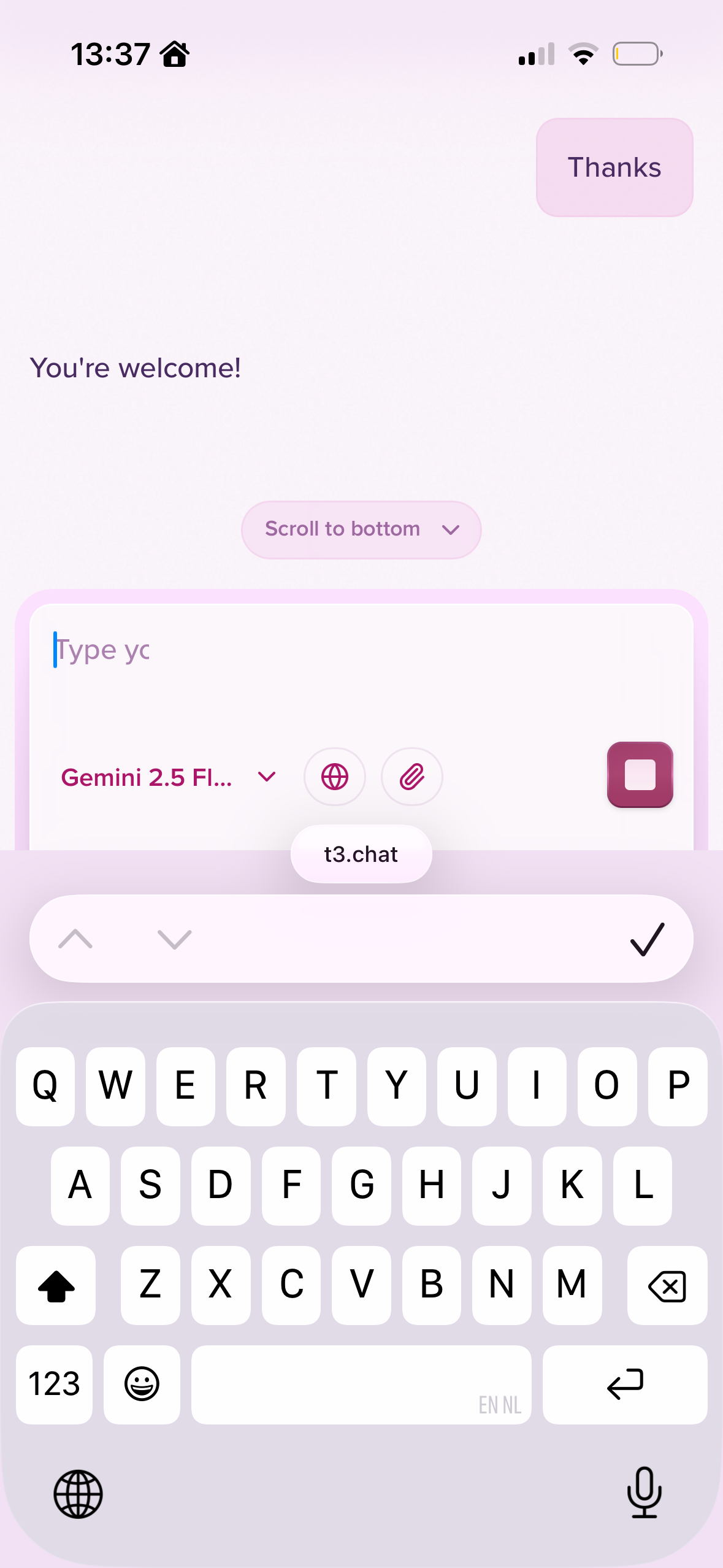
often on iOS, after an answer clearly has been completed, the stop button remains active. Meaning I have to hit stop before I can ask a follow up or copy the answer.
Resulting in a warning message that says
"Stopped by user". Which is not a great user experience.
Additionally, it I tap the check mark on ios' keyboard to hide it, and hit the send button in T3 chat, this will then reopen the keyboard. Which is probably by design, for quick follow ups, but feels buggy and takes up essential real estate for reading the answer.
Log in to comment and vote
Comments9
Aquamarine Pie
Merged request
Manually Stop GPT5?
When using GPT5 as the model, I don’t think the stream is getting the end state? I have to manually hit the stop button to continue the chat, even after the model has finished its response.
So:
1. ask GPT5 a question, then
2. get a complete response
3. Have to hit the stop button to submit a new question or follow up.
Mark Florkowski
What operating system and browser are you using?
Apricot Hill
Mark, looks like you guys fixed the bug.
Windows 11 and Microsoft Edge.
Great product you’ve built here, I’m a very happy subscriber, keep up the great work!
Peach Quesadilla
I don’t know why. But i encountered this issue yesterday and still today. It is the same as the author describe, but a bit worse, that I have to wait for more than 2 sec for the response stopping (I don’t know how long, since after spamming the stop button, I just back to my job, and come back 1 min later).
My OS is win 10 and browser is google chrome.
Gold Patch
This bugs still seems present. I have had it on my mac with chrome, and also on ubuntu with chrome if I’m not mistaking.
Red Bucket
I’m consistently experiencing the same issue (seemingly) regardless of model.
Windows 11 - Chrome
Mark Florkowski
Does the issue persist if you log out and back in ?
Mark Florkowski
Does the issue still happen if you log out and back in?
Apricot Wobble
At this point, I don’t see it happening after a sign out and in.