Chat history state desync after background refresh
Environment
Browser: Zen Browser (Pinned Tab)
OS: macOS (M2)
Steps to Reproduce
Keep t3.chat as a pinned tab.
Leave the tab in the background until it auto-refreshes upon being selected again.
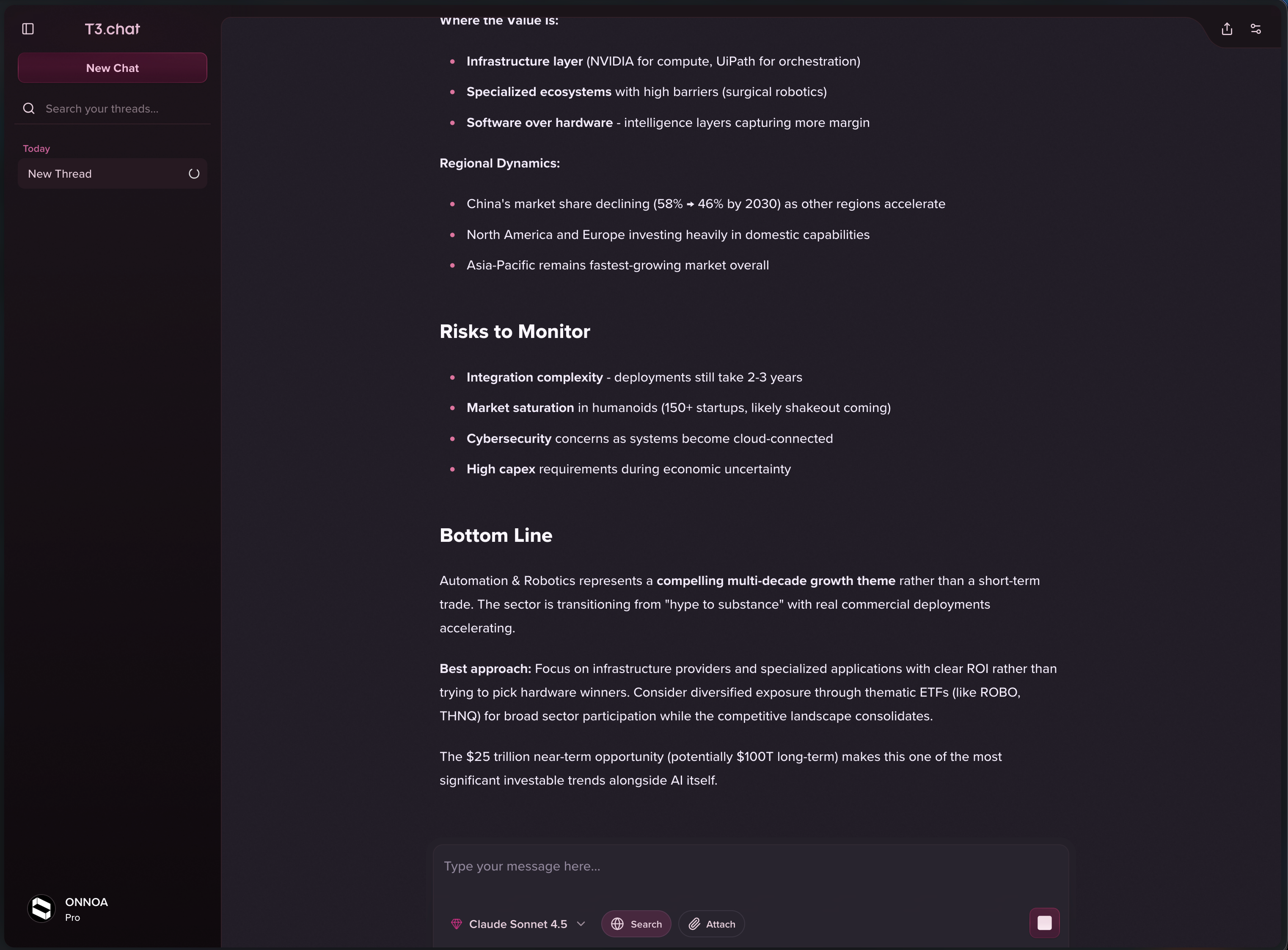
Issue 1: The left sidebar history is completely empty.
Start a new chat.
Issue 2: The new chat is added to the sidebar but hangs on a "loading" state indefinitely.
Manually refresh the page.
Actual Result
After the manual refresh, the current chat is gone, the chat history returns, but the state is corrupted: the most recent previous chat is open, while the sidebar highlight/label displays the summary of the "lost" chat session.
Please authenticate to join the conversation.
Completed
Bug Reports
Subscribe to post
Get notified by email when there are changes.
Completed
Bug Reports
Subscribe to post
Get notified by email when there are changes.